Barber software for UK barbershops with flat monthly pricing
Explore barber software UK tools for managing walk-ins, bookings, payments and cancellations, and compare flat monthly pricing with per-barber fees for your ...
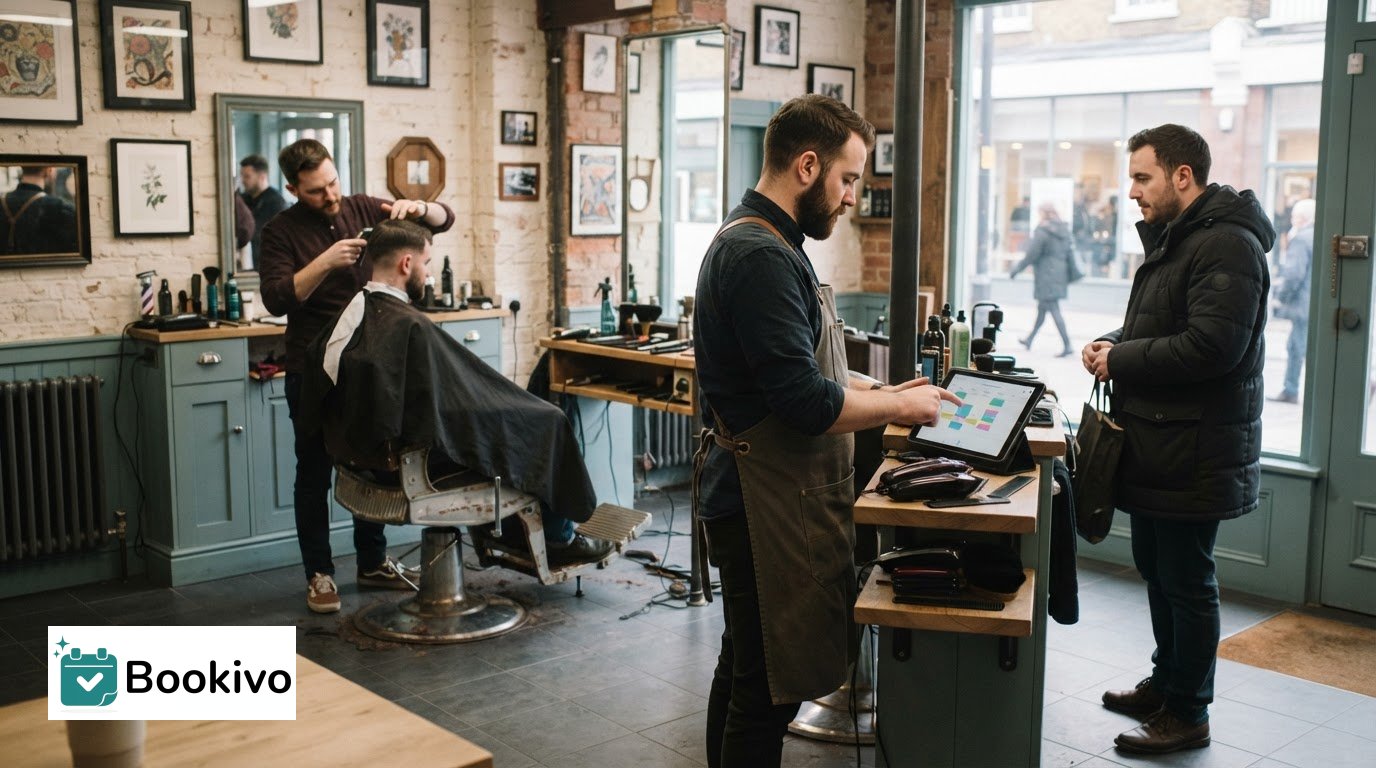
Walk-ins don’t have to disrupt a busy day. Barber software in the UK can accommodate them when staff can add appointments to the diary alongside pre-booked visits. This gives the team one place to see who’s coming in and when.
Walk-ins are part of barbershop life, so a booking system should fit the way your shop works rather than require every customer to book ahead. Look beyond the appointment diary: consider how the system handles payments and deposits, what it can do for cancellations, and how its subscription is priced as your team changes.
This guide explains how walk-ins can fit into a digital booking process, what to consider with payments and cancellations, and how flat monthly pricing compares with per-barber fees. It also distinguishes a simple booking app from a broader management system, helping you assess which setup suits your shop.
Key Takeaways
- Choose a booking setup that can keep walk-ins and advance appointments visible in one diary.
- Separate online booking payments from in-person card payments when assessing how a system fits your existing payment process.
- Compare subscription models by how they charge as your team changes, not just by the headline monthly fee.
- Set clear deposit and cancellation terms so customers know what to expect before they book.
What’s the difference between a barber booking app and a barbershop management system?
A booking app focuses on taking appointments. A management system may bring bookings together with customer records, services and team schedules.
For a barbershop, the practical difference is how well the system supports the whole booking process, from online service selection to managing the day’s diary.
Customer Booking and Appointment Scheduling
An online booking page lets customers view services, choose an available slot and book without calling the shop. A branded page can display your barbershop’s identity and service menu, giving customers a clear way to make an appointment.
Check how the system updates availability when a customer books. If someone books a haircut at midday, for example, that slot should no longer appear available to another customer. Staff should also be able to add walk-ins and manage appointments in the same diary.
Before switching systems, organise customer records, services and future bookings. A clear import process can preserve useful details and save you from rebuilding the service list manually.
Staff, Rotas and Commissions
Staff and rota tools help the team see who is working and which appointments belong to each barber. A management system may also include commission tracking, but assess this separately from basic appointment scheduling.
Compare whether staff schedules can reflect working days and whether appointments can be assigned to individual barbers. If commission management matters, check that the system records the information your shop uses to calculate it. Booking software varies in scope, so distinguish team diary features from payroll or accounting functions.
Choose a system whose staff views match your working arrangements. A solo barber may need a simple diary, while a team may benefit from clearer rota visibility.
Booking Reminders and Software Integrations
UK booking software with automated reminders can help customers keep track of appointments. Check which reminders are included and when they’re sent, so the process fits your customer journey.
For Google, Instagram, websites and calendars, identify the specific connection you need. A booking page linked from your website is different from a live calendar sync. Check whether the system supports each route, such as sharing a booking link through an Instagram profile or displaying appointments in a calendar.
Before importing records, match customer details, services and future appointments to the fields in the new system. Review a sample record and booking first to spot missing information before moving everything.
Payment processing and existing card machines
Distinguish online payments from payments taken in person at the till. The right arrangement depends on whether your booking system processes transactions, connects with your existing card machine or records payments handled elsewhere.
Integrated Payments and Point of Sale
Integrated payments can link a transaction to an appointment or customer record. A point-of-sale system may also record in-person purchases, such as a styling product bought alongside a haircut. These functions are related, but they aren’t automatically part of the same feature.
Map out a typical visit before choosing a setup. Note whether a customer pays a deposit online, settles the balance by card in the shop or buys a product at the same time. Then identify which system records each payment and how staff can find it later.
If you already use a card machine, keep its role clear in the payment process. A separate terminal can take in-person payments, whilst booking software may handle online transactions. A branded booking setup can show how online appointments fit your customer journey.
Flexible Payment Options
Payment options matter at different stages of a booking. A deposit might be collected online, with the balance paid after the appointment; a walk-in customer might pay entirely in the shop. Set out these scenarios and check which ones the system supports.
Klarna and Clearpay are examples of buy-now-pay-later services. Don’t assume either is available through a booking platform or card machine. Check whether the payment provider supports the option, where customers can use it, and how transactions appear in your records.
Distinguish payment flexibility from membership billing. If customers pay for a membership, establish how recurring charges are handled and recorded. For each payment route, staff should know whether to take payment online, use the terminal or record a separate transaction. Clear steps make reconciliation easier without treating booking software as accounting software.
Flat monthly pricing without per-barber fees
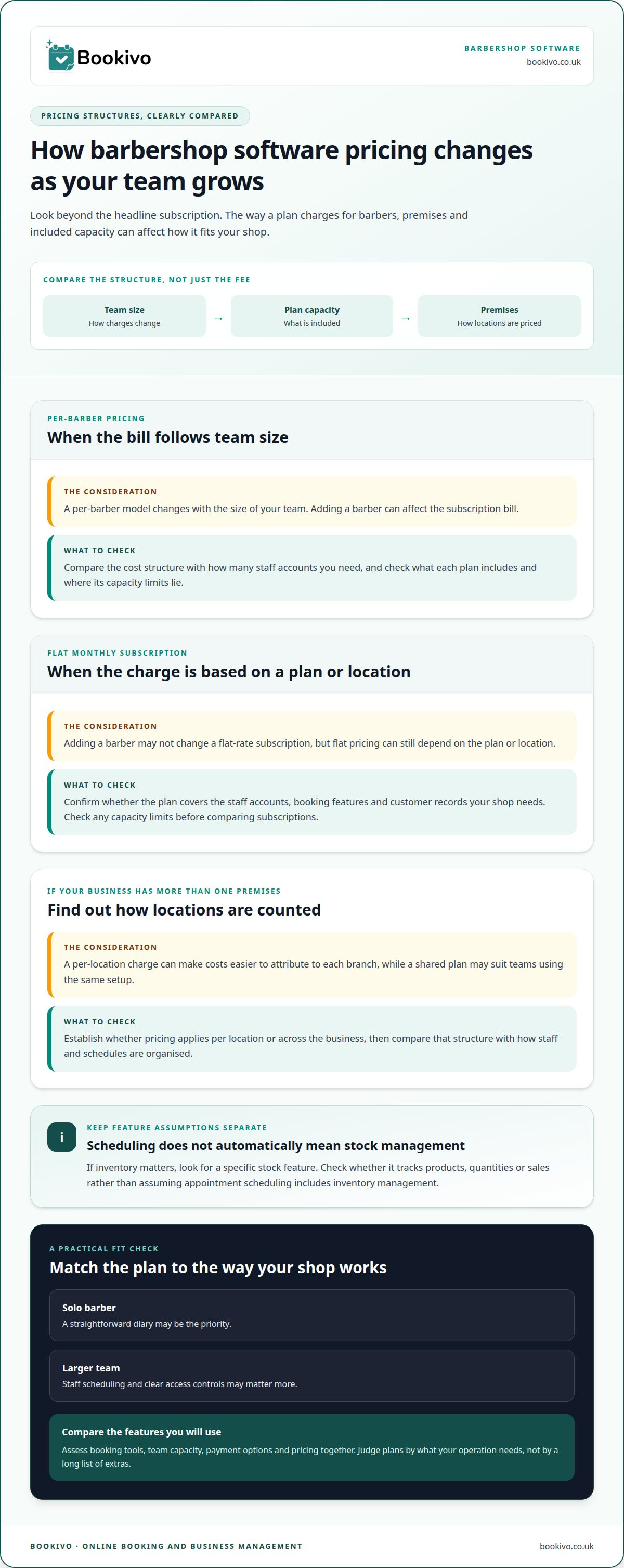
Compare how software plans are priced. A flat monthly subscription charges by plan or location, while a per-barber model changes with team size. Adding a barber can affect the bill under per-user pricing but may not change a flat-rate subscription.
Ask what each plan includes and where its capacity limits lie. Check whether it covers the staff accounts, booking features and customer records your shop needs. If inventory matters, look for a specific stock feature and establish whether it tracks products, quantities or sales. Don’t assume appointment scheduling includes inventory management.
If your shop has several premises, establish whether pricing applies per location or across the business. A per-location charge can make costs easier to attribute to each branch, while a shared plan may suit teams using the same setup. Compare the overall subscription structure with how staff and schedules are organised.
The right barber shop software in the UK is the one that fits your operation. Compare booking tools, team capacity, payment options and pricing. A solo barber may prioritise a straightforward diary, while a larger team may need staff scheduling and clear access controls. Judge plans by the features you’ll use, not by a long list of extras.
A free trial can help you test the day-to-day workflow before choosing a plan. Add a service, review the booking journey and see how staff schedules appear. Check which features are available on the plan you intend to use rather than assuming every trial includes the same tools.
Software alone doesn’t make a barbershop compliant with UK data protection requirements. Consider how customer details are collected, accessed and retained, and consult Information Commissioner’s Office guidance for authoritative UK information. Clear staff permissions and careful handling of customer records matter alongside the subscription price.
Automated deposits and cancellation charges
Deposits and cancellation charges apply to different booking situations. A deposit is collected before an appointment, while a cancellation charge may apply after a customer cancels under the shop’s stated policy. Software can help manage these steps, but the booking terms and payment setup determine what can happen automatically.
For example, a barber might require a deposit for a longer appointment booked online. The booking page should explain the amount, when it is due and how it affects the remaining balance. The system can then record the payment against the appointment, making it easier to see what has been paid before the customer arrives.
Cancellation charges also need a clear process. State the cancellation window and any charge before customers complete their booking. Then check whether the software can collect the charge automatically or whether staff need to handle it manually. Automatic collection depends on the system’s payment features and the payment details available for that booking.
Customer profiles can help staff find appointment and payment records when a cancellation needs attention. A profile might show the relevant appointment, its deposit and any recorded payment. Keep exceptions, such as a rescheduled visit or agreed waiver, visible to the team so staff don’t treat every cancellation the same way.
Before enabling automated charges, map the customer journey: explain the terms, take any required deposit, record the appointment, then follow the cancellation process if needed. Test a standard booking and a cancellation. Check what the customer sees, what the system records and what staff need to do. Clear steps make charges easier to administer and help prevent surprises at the chair.
Choose settings that match your published cancellation policy and the way your shop handles exceptions. A system should support transparent communication, not replace it. See how online deposits could fit your booking process.
Bookivo
Bookivo brings online booking and appointment management together for barbershops. Its branded booking website lets customers book appointments, and the platform supports deposits and online payments. It can suit your shop if you want a more organised booking journey alongside your existing approach to in-person payments.
To assess whether it fits, consider how your team manages bookings, deposits and customer payments today. Then explore the booking experience and pricing before deciding on your next step.
Choose a setup that fits your next stage
Your booking setup should support the way you want customers to interact with your shop. Consider the impression you want to make before a customer arrives and whether your online presence reflects the service they’ll receive in person. This can help you assess what suits your business beyond day-to-day administration.
Bookivo offers Beauty & Salon Booking Software, Aesthetics Clinic Booking Software and an Online Appointment Booking System. Request a free branded preview to see how an online customer journey could work for your barbershop.
Request a free branded preview to explore a more professional booking experience for your barbershop.
Frequently Asked Questions
Can barber software handle walk-ins?
Yes, if staff can record a walk-in as a customer appointment. This creates a useful record of the service and the barber who handled it, rather than leaving the visit out of the shop’s appointment history. It won’t necessarily manage a physical queue, so decide how staff will tell waiting customers about availability and who can take the next client.
How much does barber booking software cost in the UK?
Costs depend on the provider’s pricing model and the features included. A flat monthly plan makes the subscription easier to forecast, while payment-processing charges may be separate. Bookivo uses fixed monthly pricing. You can review the booking software pricing to see the current plans and what each includes before choosing a setup.
What features should barber shop management software include?
Look beyond appointment booking. Consider whether the system gives appropriate staff access to customer information, provides reports to review bookings and lets you export records if you change platforms. A shop manager may need a clear view of activity across the team, while individual barbers need access to the details relevant to their work.
Which barber software supports card payments, deposits and point-of-sale sales?
Some booking systems support online payments and deposits, but point-of-sale sales may involve separate till or terminal equipment. Bookivo supports online payments and appointment deposits, but it isn’t a hardware point-of-sale system. If your shop sells products at the counter, consider how staff will record those transactions alongside appointment payments and how you’ll review the records.
How do barber booking platforms compare on customer fees and cancellation policies?
Compare the costs charged to the business with any fees customers may encounter during booking. Consider how clearly the cancellation policy appears before a customer confirms, and how the platform records a cancellation or charge. These details help you understand the customer experience and the work staff may need to do when a booking changes.
How can a UK barber shop switch software and transfer client and appointment data?
Plan the changeover around upcoming appointments so customers know where to find their booking information during the transition. Decide when new bookings should move to the new platform, and make sure staff know which system contains each appointment. Bookivo provides free data transfer for information your current provider allows you to export, including client details, appointment history, services and notes.