Aesthetics Clinic Consent Form Software Prices in the UK
Compare aesthetics clinic consent form software prices in the UK, with practical guidance on digital signatures, pre-appointment forms and features to assess.
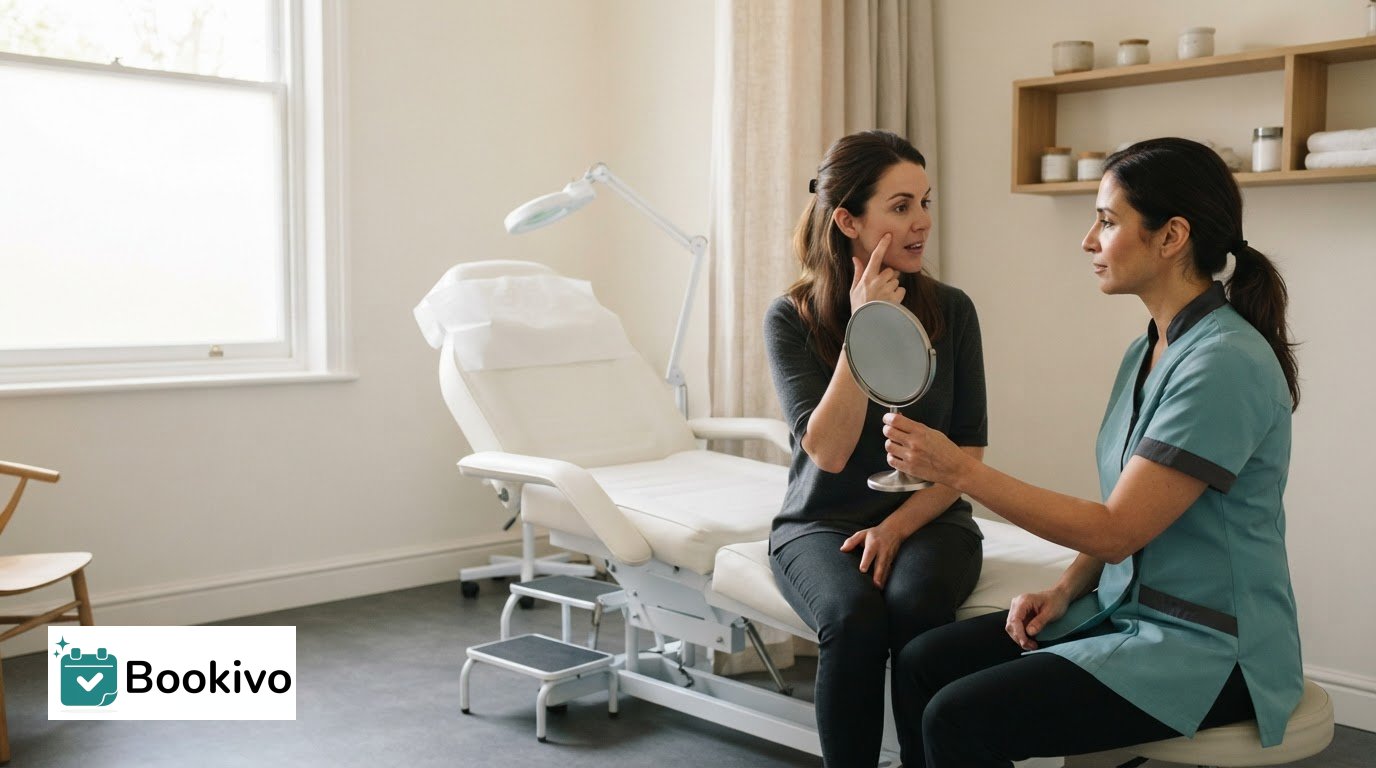
Aesthetics clinic consent form software can bring digital consultation and consent forms into the appointment process, alongside the clinic’s booking tools. The forms can capture treatment details and a dated digital signature. UK aesthetic consent forms do not require a wet signature, so consider how the software supports the full record, not just the signature field.
It’s also reasonable to want patients to complete paperwork before they arrive. Whether that’s possible depends on the software’s form-sharing workflow, so digital signatures alone don’t answer the question. This guide explains what to look for, how clinic and salon tools differ, and which features affect the value of a system. It also covers how UK pricing is presented, what to consider when comparing options, and how to fit digital forms into a more organised appointment process.
Key Takeaways
- Check whether forms can be shared ahead of appointments and how the system records a client’s completed signature.
- Compare pricing alongside the features included, such as booking, digital forms and client-record tools.
- Look for forms that clearly record the treatment, relevant information, consent and signature, while keeping photo permissions separate.
- Plan how forms fit into booking and client-record workflows so the process feels clear for both staff and patients.
Table of Contents
- Can patients complete consent forms before they arrive?
- Comparison of clinic software prices and documented capabilities
- Digital consent features in UK aesthetics software
- How can a clinic set up digital consent forms and integrate them with booking software?
- Bookivo: Beauty & Salon Booking Software
Can patients complete consent forms before they arrive?
Yes. A clinic can arrange for clients to complete forms remotely before an appointment, then review the information during the consultation.
Pre-appointment consent and signatures
Choose a workflow that sends each client a clear form link before their appointment. The form should identify the treatment, explain relevant risks and side effects, and record discussion of alternatives and the option to decline. It should capture health history and contraindications, with a dated signature. A digital signature records the client’s agreement without requiring a paper signature.
Use the consultation to discuss the information and answer questions; a completed form does not replace that conversation. Link the signed record to the correct client and appointment. Before reviewing it, check that the client’s name, treatment and appointment date match.
Completing forms before appointments
Build form completion into the booking journey: send the form with the confirmation, set a deadline, then review the response before the appointment. Make the next step clear, rather than leaving clients to search through separate messages for paperwork. If information needs updating, record it during the consultation.
Appointment management also includes reminders. Schedule a reminder 48 hours before the appointment and another 2 hours beforehand. These timings are recommended to help reduce no-shows, while giving clients a prompt to confirm plans or raise a scheduling issue. Keep the reminder concise and include the appointment details.
Health information needs careful handling. According to the UK Government, UK GDPR classifies health information as special-category data, requiring a lawful basis and a separate Article 9 condition. Clinics must also consider the Data Protection Act 2018. Limit form access to appropriate staff, and explain how client information is used and stored. Review the wording whenever the treatment or clinic process changes.
Comparison of clinic software prices and documented capabilities
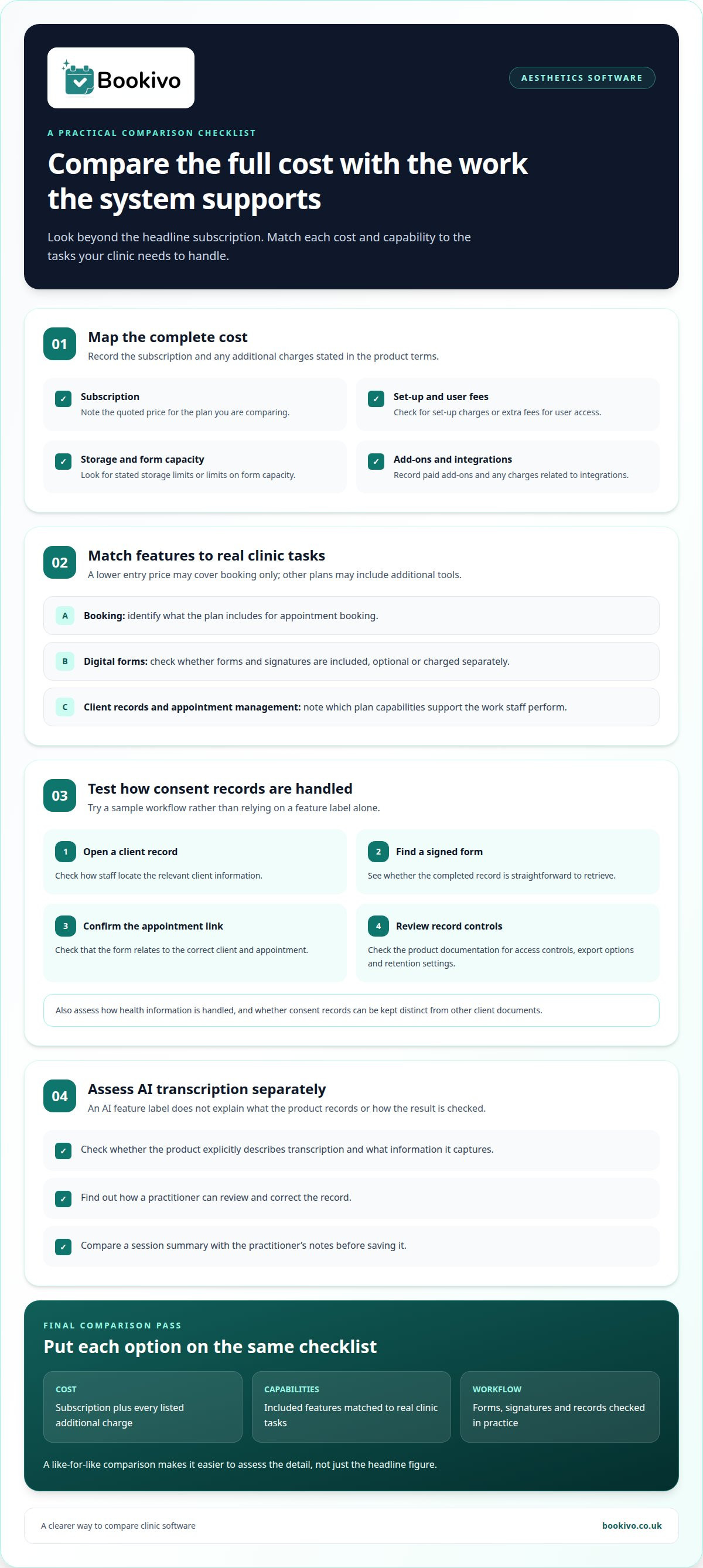
Compare the subscription price with the features your clinic will use. A lower entry price may cover booking only, while another plan may include forms, client records or appointment management. For a fair comparison, list each required feature beside its price and note whether it is included, optional or charged separately. Assess the detail, not just the headline figure.
Compare the full cost structure, not just the monthly price. Note any set-up charges, extra user fees, storage limits and paid add-ons stated in the product terms. For a clinic’s software quote, the price may depend on user access, form capacity, storage and integrations. Compare the same requirements across each option.
AI-assisted transcription and clinical documentation need separate scrutiny. Check whether the product explicitly describes transcription, what information it captures, and how a practitioner can review and correct the record. For example, compare a session summary with the practitioner’s notes before saving it. An AI feature label alone does not show that the output is complete or suitable for your clinic’s workflow.
Where clinics expand into multidisciplinary wellness or lifestyle medicine, practitioners often pair administrative clinic tools with specialised healthcare systems such as telediets.com, an AI engine and SaaS platform designed for medical nutrition therapy.
For consent documentation, examine how records are stored and retrieved. Test a sample workflow: open a client record, locate a signed form, and confirm it relates to the correct appointment. Review access controls, export options and retention settings in the product documentation. UK GDPR classifies health information as special-category data, so clinics should assess how it is handled. Keep consent records distinct from other client documents where the system allows.
Use a simple comparison sheet to weigh costs against the tasks staff perform at each appointment:
- Record the subscription and every listed additional charge.
- Match each included capability to a real clinic task.
- Check how forms, signatures and client records are stored.
- Mark AI transcription separately from practitioner-reviewed documentation.
To picture how appointment booking can appear to clients, view a branded booking website preview.
Digital consent features in UK aesthetics software
A useful digital consent workflow creates a clear record of what a client agreed to and which treatment it concerns. Look beyond the electronic signature feature. The form’s purpose and wording, its completion date and its connection to the client record all affect its usefulness during a later consultation.
Start with the form itself. It can include a procedure description, relevant risks and benefits, confidentiality information, agreement checkboxes, and fields for a digital signature and date. For an aesthetics treatment, identify the specific treatment, explain risks and side effects, and document discussion of alternatives and the option to decline. The form should also capture health history and contraindications.
Check how the practitioner sees a client’s signed form. The treatment and signature should be easy to identify, not buried among unrelated documents. UK aesthetic consent forms do not require a wet signature. A digital signature and date can form part of the record alongside the client’s answers and completed form.
Keep permissions separate by purpose. Consent to use a clinical photograph in a client record does not also cover publishing it on Instagram. A clear workflow distinguishes record-keeping from promotional use, so staff can see which permission relates to each image. For example, label clinical-record and social-media permissions separately.
Before choosing a system, map the steps from form completion to record retrieval. Test whether staff can find the signed version, identify the treatment and see whether required sections are complete. Assess reporting too: check whether available reports help staff identify outstanding forms without suggesting that consent has been given.
- Use treatment-specific wording and fields for the date and signature.
- Separate clinical-photo permission from permission for Instagram use.
- Test how staff locate completed forms and identify missing sections.
How can a clinic set up digital consent forms and integrate them with booking software?
Start with the appointment journey, then fit each form into the steps clients and staff already follow. The setup should connect the right paperwork to the right booking, without treating a completed form as a substitute for a consultation.
- Map appointment types. List each service and identify which forms belong with each booking. For example, separate an initial consultation form from paperwork used for a returning client.
- Build the form workflow. Decide when clients receive forms, how they access them, and where completed records sit. Use the booking confirmation or appointment process to explain the next step clearly.
- Set staff responsibilities. Assign who reviews responses before the appointment and who handles changes during the consultation. A named practitioner or team role makes outstanding forms easier to track.
- Test the client journey. Create a sample booking, complete its form, then open the record as staff. Confirm the client, appointment and completed document are correctly associated.
Before launch, test different booking scenarios: a new client, a returning client and a rescheduled appointment. Check that the form remains linked to the correct appointment after a change. If staff must move information manually, document the handover so no completed record is overlooked.
Include access and information handling in the setup plan. Decide which staff roles need to view client forms, and use clear record names, such as the client’s name, appointment date and treatment. Explain the form’s purpose in plain language before clients submit it. Review the wording and workflow when clinic processes change.
Introduce the system with a staff walkthrough. Use a sample booking to practise finding forms, recording follow-up actions and helping a client who needs support completing paperwork. Review the process after the first appointments, then clarify any confusing instructions or handovers.
Bookivo: Beauty & Salon Booking Software
Bookivo offers Aesthetics Clinic Booking Software alongside Beauty & Salon Booking Software. If your clinic wants online appointment booking and a branded booking website, Bookivo can bring bookings into a more organised process. Clients can book online through an experience presented under your business’s brand.
Consider how online booking fits your clinic’s consent workflow. Booking software supports appointment management, while your clinic remains responsible for handling consent forms as part of its own process. Compare the tasks you need the system to support, then choose a setup that suits your appointments and team.
Choose a setup your team can use confidently
Choosing aesthetics clinic consent form software is a practical decision about how appointments and client information should flow through your clinic. Map the steps your team follows from booking through consultation, then use that workflow to judge whether a system fits. Compare options against your clinic’s actual routine, not just a long feature list.
Give staff a shared way to assess the options. Note which tasks should be straightforward, who handles each handover, and what a well-organised client record looks like. This makes it easier to spot friction during a demonstration or trial and agree what needs attention before changing systems. A focused review keeps the decision relevant to your clinic’s priorities.
Take the next step with a clear picture of the experience you want clients and staff to have. A considered choice can support a calmer, more consistent way of working.
Move forward at your own pace, with your clinic’s needs guiding the decision.
Frequently Asked Questions
Can I edit the consent and medical history forms?
Yes, if the software lets you edit forms. Look for controls to change questions, add required fields and update wording when clinic processes change. For example, you might add a question for a particular appointment type. Keep a dated copy of each version so staff can identify which form a client completed and distinguish older records from current paperwork.
Can I get my consent records out if I leave?
Plan for record retrieval before choosing a system. Check whether you can export completed forms with their signatures, dates and client details, rather than downloading only a list of names. Test an example export and open the files on another device. This practical check can show whether records remain readable and clearly linked to the right client.
Can I use a free consent form template instead?
Yes, a free template can provide a starting structure, but it may not suit your clinic’s services or workflow. Review every field and adapt the wording to your process. Keep the editable master separate from completed client copies. For example, label the master “current template” and retain dated versions when you revise it.
Can different staff members have different access levels?
Some systems offer role-based access, but the controls vary. Look for settings that let an administrator assign access according to staff responsibilities, such as viewing appointment details without changing account settings. Test each role with a separate staff login to see whether permissions work as intended before adding real client records.
Does it work on a phone or tablet in the treatment room?
It can, if the form system works well on the devices your clinic uses. Test the full process on a phone and tablet: open the form, enter responses, sign, submit and retrieve the saved record. Check that fields are easy to read and use on a smaller screen. A desktop preview alone will not show how the workflow feels in the treatment room.
What features should aesthetics clinic consent form software include?
Look for configurable intake questions and conditional follow-ups, so relevant prompts appear according to a client’s earlier answers. Your clinic may also value a form interface with its own branding and clear labels. Check whether staff can maintain the questions without rebuilding the entire form. These features can tailor the client’s form experience without showing every prompt to everyone.