Massage Therapist Booking Software UK: Managing Repeat Appointments
Discover massage therapist repeat appointment booking software UK options for managing deposits, client records and schedules online with less booking admin.

Repeat appointments are easier to manage when bookings, deposits and client details follow one organised process. Online booking software can collect a deposit when a client books, helping set clear expectations before the appointment. For UK massage therapists, repeat appointment booking software can also bring the details of a returning client’s next visit into view.
It’s easy to see why massage therapists want fewer booking messages and less time spent updating calendars by hand. A useful system should make it straightforward for clients to book again and help you keep appointments and business records organised.
This guide explains how booking software can support deposits and repeat appointments, what to consider when managing client records, and how therapist schedules and treatment rooms fit into the booking process. You’ll also learn what independent therapists and growing teams should look for when choosing a system that suits the way they work.
Key Takeaways
- Use organised client records to make repeat bookings easier and keep relevant appointment details together.
- Plan therapist schedules and treatment-room availability in a shared calendar to reduce clashes and allow time between appointments.
- Assess booking software by how it handles deposits, repeat appointments and the day-to-day needs of your practice.
- Independent therapists can use online booking to give clients a straightforward way to arrange appointments without relying on back-and-forth messages.
Can I store client notes and treatment history?
Massage booking software can send automated appointment reminders, and some systems also support repeat-booking prompts. These serve different purposes, so look for both if you want clients reminded before a session and encouraged to book again afterwards.
A client profile can bring contact details, booking history and relevant notes together. For example, it might show a returning client’s preferred appointment times and previous bookings. This gives you useful context when arranging their next session, without searching through separate messages or paper records.
Keep notes focused on information needed to manage the client relationship and appointments. Use a consistent process: add relevant details to the profile, update booking history after each visit, and limit access to appropriate staff. When handling personal information, take care to manage it appropriately. For guidance on data protection, consult the Information Commissioner’s Office (ICO).
Personalised follow-ups can make rebooking feel considered rather than generic. For instance, a message could refer to the client’s last session and invite them to choose a suitable time for another appointment. Keep the wording professional, and use reminders for practical details such as the appointment time. A reminder confirms an upcoming booking; a follow-up encourages a future one.
A marketplace listing and a client record serve different purposes. A listing can help people discover a business, while a profile and booking history help organise relationships with clients who have booked. If repeat visits matter most, consider how easily clients can book again and how clearly their previous appointments appear in their records.
Before moving existing notes into a new system, separate general booking information from specialist treatment records. Keep information relevant to your work, organise it consistently, and consider how it will support useful follow-ups. Tidy records make it easier to recognise returning clients and manage their next booking with care.
Can I manage multiple therapists and treatment rooms?
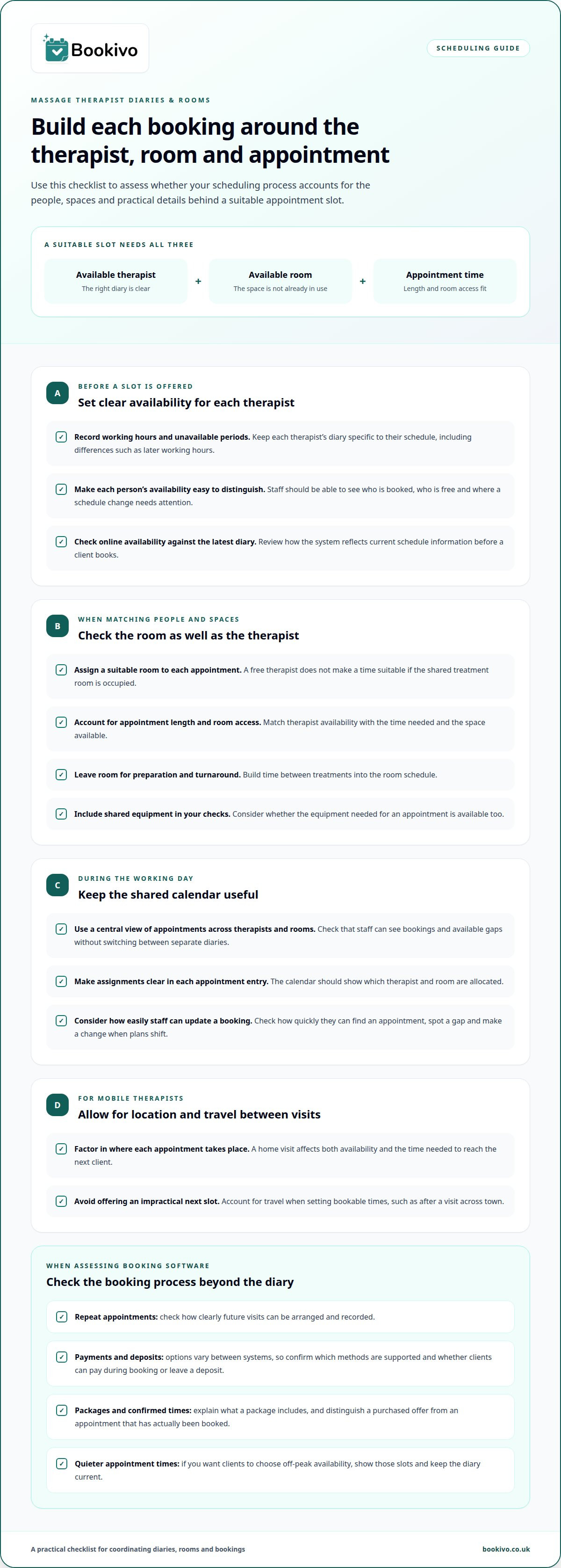
Managing schedules means matching therapist availability with room access and appointment length. In a clinic with shared rooms, one booking can affect several diaries.
Therapist Diaries and Availability
Set each therapist’s working hours and unavailable periods clearly. If one therapist works late while another finishes earlier, clients should only see times that fit the right diary. Choose a calendar that makes each person’s availability easy to distinguish, so the team can see who is booked, who is free and where schedule changes need attention.
Interactive Calendar Management
A shared calendar gives you a central view of appointments across therapists and rooms. Check how quickly staff can see a booking, identify a gap and update an appointment when plans change. Online availability should reflect the latest diary information before a client books. Clear appointment entries also show which therapist and room are assigned, reducing confusion during a busy working day.
Mobile therapists need a different diary view. A home visit affects both appointment availability and the time needed to travel to the next client. Account for location and travel when setting bookable slots. For example, avoid offering a nearby appointment immediately after a visit across town. A diary that clearly shows each booking helps you plan a workable day.
Room allocation matters even when therapist diaries look free. If two therapists share one treatment room, their appointments must not overlap there. Leave time between treatments for preparation and room turnaround, and include room availability in the booking process. This is especially useful for teams using several rooms, as staff can see whether a free therapist also has a suitable space.
A branded booking website can present the appointment options you make available to clients. Seeing how that booking experience could look may help you assess its fit with your clinic’s scheduling needs.
What is the best booking system for massage therapists in the UK?
Choose a system that coordinates therapist diaries, treatment rooms and repeat appointments while keeping availability clear. Payment methods and integrations vary between UK booking systems. If you want clients to pay online or leave a deposit, check which options the system supports.
Therapist and Treatment Room Scheduling
For a team, bookings need to match an available therapist with an available room. A calendar that separates staff and room schedules makes conflicts easier to spot. If a therapist is free but the treatment room is occupied, that time should not appear as a suitable appointment. Include any shared equipment in your scheduling checks.
Regular Treatment Plan Scheduling
For clients who want regular sessions, agree the next appointment time and record it clearly. This gives both therapist and client a useful reference for upcoming visits. If you offer packages, explain what each includes and how appointments are arranged. Don’t assume a package automatically creates future bookings: distinguish a purchased offer from confirmed appointment times.
Payment Methods and Integrations
Payment options differ between systems. Some support online payments or appointment deposits, while available methods and integrations depend on the platform. Consider whether clients can pay during booking, whether you can request a deposit, and how payments fit your existing process. Treat these as separate requirements: online payments do not necessarily include every integration you might want.
Off-peak availability matters, too. If you want clients to choose quieter appointment times, make those slots visible and keep the diary current. For example, a therapist opening an evening session can show that time for booking without offering an already occupied room. Check how changes to therapist availability affect room allocation, repeat appointments and any equipment needed. This helps you choose a system that reflects how your practice runs, rather than relying on a calendar that records bookings only after they happen.
Booking software for independent massage therapists
For an independent therapist, repeat massage appointment booking software should simplify client bookings without adding an unnecessarily complex team setup. Start by mapping your routine: the treatments clients can select, your working hours, appointment lengths and any time needed between sessions. A clear service list helps clients choose the right appointment, while an up-to-date diary shows which times are genuinely available.
Online booking lets clients request an appointment at any time, including while you’re treating someone or travelling to a client. A practical booking journey shows treatment details, available slots and what happens after a client confirms. For example, an appointment confirmation gives both you and the client a record of the agreed time. Decide how clients can contact you if they need to change a booking.
Keep the process manageable by checking how each booking affects your day. If you offer appointments at your studio and mobile visits, organise availability around both settings. A mobile appointment may need travel time before the next visit, so don’t offer a slot that leaves an unrealistic gap. An online diary is useful only if you update it as your working pattern changes.
Consider the admin that follows each booking, too. Appointment reminders help clients keep track of confirmed sessions, while past booking records make repeat appointments easier to arrange. If you want clients to pay during booking, check how the platform handles deposits and online payments. Treat these as practical requirements rather than assuming every system includes the same options.
Before moving your diary or client information, try the booking journey with demonstration data. Follow it as a client: select a treatment, choose an available time and review the confirmation. Then view the resulting appointment from your side. This walkthrough can show whether the platform suits a solo beauty business and supports the way you accept and manage bookings.
Bookivo
Bookivo brings online booking and business management together for UK beauty and wellness businesses. Its branded booking website lets clients arrange appointments, while the team calendar helps keep therapist schedules organised. You can also take deposits and process online payments, giving clients a clear way to secure a booking.
For massage therapists managing repeat visits, keeping bookings and day-to-day scheduling in one platform can make the process simpler. Bookivo’s automated appointment reminders help clients keep track of upcoming sessions. Its booking website can suit independent therapists, while team calendars help teams coordinate appointments.
If you’d like to discuss how Bookivo could support your booking process, contact Bookivo.
Make your next booking decision with confidence
Start by deciding what a smoother booking process needs to look like in your practice. Consider how you want clients to book, how you manage return appointments, and whether your schedule involves one therapist or a team. Then choose a system that supports those routines without adding unnecessary complexity.
Bookivo offers Beauty & Salon Booking Software, Aesthetics Clinic Booking Software and an Online Appointment Booking System. These tools help businesses manage bookings and present their services online. For massage therapists considering repeat appointment booking software in the UK, the right fit is one that supports your actual booking process and can grow alongside your business.
See how Bookivo’s booking experience could suit your business by requesting a free branded preview.
A clear booking process gives you a stronger foundation for the working day ahead.
Frequently Asked Questions
Can I take deposits for massage or spa appointments?
Some booking software offers online deposits, which can help secure an appointment and clarify payment expectations. Check the provider’s information to confirm which payment options it supports. Bookivo’s payment features are not confirmed here, so contact Bookivo directly for details.
Can I set different session lengths for treatments?
Booking systems may let you set a duration for each service, so clients see appointment times that match their selection. For example, a shorter massage and a longer treatment can each have their own slot length. This helps prevent bookings from taking up too little or too much diary time. Check that the booking flow clearly displays the selected service and appointment time.
Can booking software help reduce cancellations?
Booking software can support clearer communication, but it can’t guarantee that clients won’t cancel. Automated reminders can bring an upcoming appointment to a client’s attention, while deposit options let you set a payment requirement at booking. You can also make your cancellation policy visible during booking so clients understand your terms before confirming.
Can clients book spa or massage sessions outside opening hours?
An online booking page may let clients submit appointment requests outside your opening hours. Check with the provider which booking functions it offers. Bookivo is an online booking platform, but its availability and appointment management features are not confirmed here, so contact Bookivo directly for details.
Can clients choose a specific therapist when booking?
Some booking systems allow clients to choose a team member when staff profiles and availability are included in the booking process. Bookivo’s team booking features are not confirmed here, so contact Bookivo directly to check whether clients can select a preferred team member.
How does online booking work for spa and massage businesses?
A business shares its booking page so clients can view services and available appointments, then submit a booking online. The system records the appointment and may support payments or deposits during the process. Bookivo is an online booking platform; contact Bookivo for details of its booking page and payment features.